Let customers order. Keep your team cooking.
With QR code ordering, customers scan your code, choose their food and pay on their phone. Paid orders arrive with the details your team needs to get started.

From a quick scan to a paid order.

Scan your QR code
Your menu opens in their browser. No app download needed.
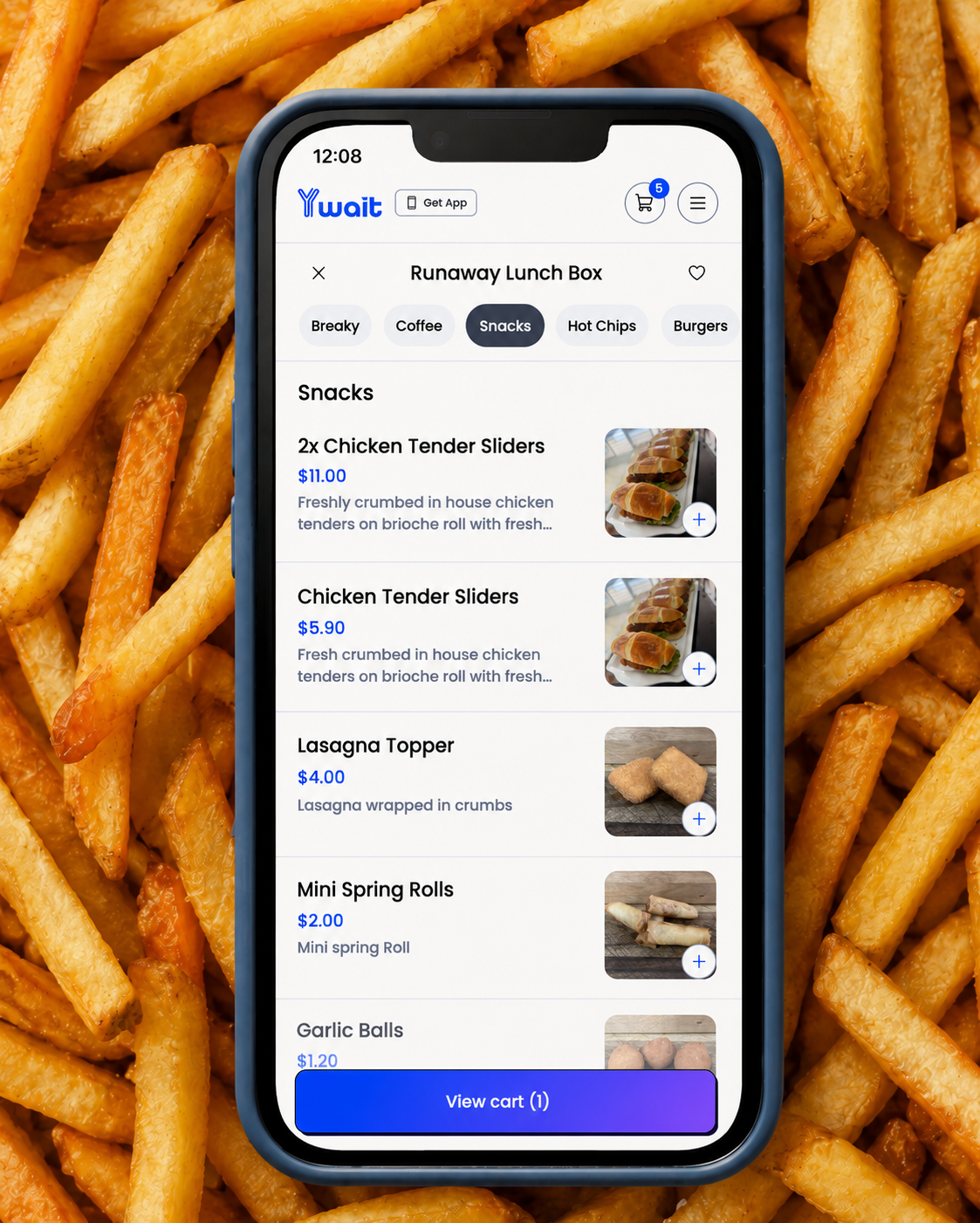
Choose and pay
They choose items and extras, add notes and pay online.
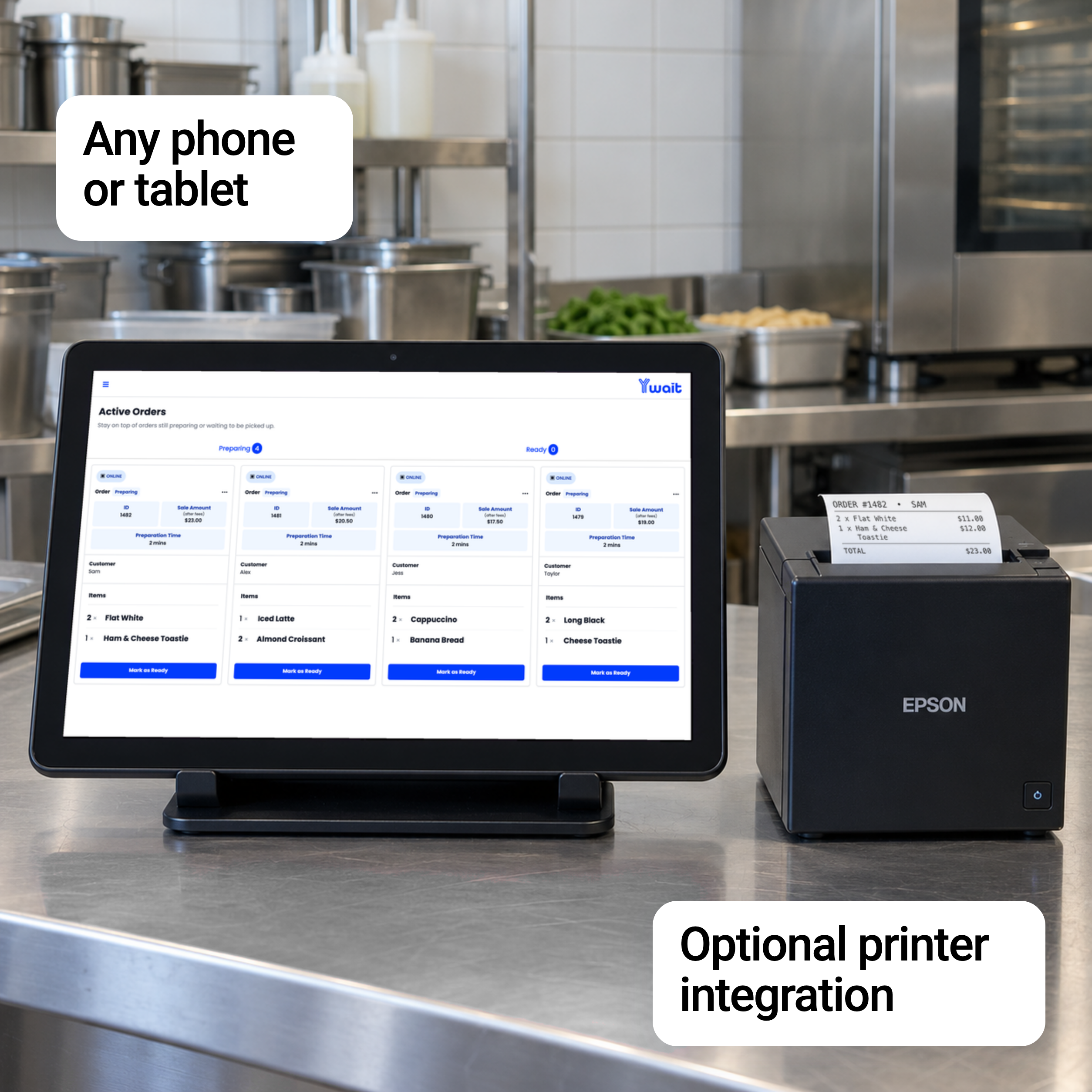
Receive the paid order
It arrives in Ywait Admin or your connected Square POS, ready to prepare.

Take another order while you prepare the next one.
Put your QR code where customers can see it at the counter. They can browse, order and pay on their phone while your team keeps preparing food and drinks.
Each order arrives with their choices and notes recorded, giving customers another way to order during the rush.


Let customers order from their table.
A QR code on the table lets customers browse and pay without leaving their seat. You choose how their food reaches them.
Bring their meal to the table
The table number is printed on the sign and built into its QR code. Scanning records it automatically with the order, so your waitstaff know where to take the meal.
Let them know when to collect
For pickup service, send a ready text and customers come to your counter when their food is ready.
Let customers wait wherever they’re comfortable.
After ordering, customers can find a seat, rejoin their group or enjoy a spot by the water. Send a ready text when it’s time to collect, so your team can focus on preparing orders instead of calling out names.
Get started

No new hardware or POS needed.
Use your phone or tablet
Use Ywait Admin on an iPhone, iPad or Android device you already own. Receive paid orders and send ready texts without buying a dedicated ordering terminal.
Manage everything in one place
Update your menu, track stock and pause orders when you need to. Your QR codes and ordering link use the same menu.
Add a printer if you want one
Work from your screen or connect a compatible docket printer to print orders automatically.
Get your menu ready for its first scan.
We’ll help with your menu and payments, then get your QR codes ready to use.
Free setup and ongoing Australian support are included on every plan.
Try it with your business
Your Storefront on Ywait starts at $15/month, with one month free. No lock-in contract. Cancel anytime.
Frequently asked questions.
Send us a message and one of our team members will get back to you ASAP.
How soon can I start taking orders?
A Ywait storefront can be set up in under an hour. Custom websites and apps have a separate build process.
See the setup stepsWhat if we get too busy?
Pause ordering when your team needs to catch up. You can also track stock and mark items sold out in Ywait Admin.
Do customers need an app to scan and order?
No. Customers scan the QR code with their phone camera and open your menu in their browser. They can choose their items and pay on their phone.
Can I use QR ordering for table service?
Yes. Your table QR codes can display the table number and have it built into the code. Scanning records the number automatically with the order, so your team knows where to bring the food. For pickup service, send a ready text instead.
Do I need separate menus for QR and online orders?
No. Your QR code and ordering link open the same menu. Manage your items, prices and availability in Ywait Admin.
Explore online orderingWhere do I get my QR code?
Generate your QR code in the Ywait Admin app and print it on your own signs. Our Australian team can help you get set up and answer questions.
Get startedKeep your ordering connected.
Online Ordering
Customers can also order before they arrive. Share the same menu through your ordering link. Explore online ordering
Loyalty & Rewards
Reward returning customers with loyalty stamps and rewards you choose. Explore loyalty
Branded Site & Apps
Give customers an ordering site on your own domain, or your own branded mobile app. Explore branded sites & apps
POS Integrations
Connect Square to sync your menu and manage orders on your Square POS and printer. Explore POS integrations